안녕하세요!
오늘은 HTML과 CSS를 활용해 홈페이지를 간단히 제작해보는 연습을 했습니다!😊
HTML 파일 두개와 CSS파일 하나로 구성해봤습니다.
처음 해보는거라 코드가 많이 난잡한거 같습니다...그래서 제 맘대로 안 된게 많았던거 같아요!
<!DOCTYPE html>
<html lang="en">
<head>
<meta charset="UTF-8" />
<meta name="viewport" content="width=device-width, initial-scale=1.0" />
<title>웹사이트 만들기</title>
<link rel="stylesheet" href="./CSS/과제1.css" />
</head>
<body>
<header>
<h1>영곤 홈페이지</h1>
<p>나만의 홈페이지 만들기</p>
</header>
<div class="container">
<nav class="sidebar">
<h3 id="sidebarmenu">메뉴</h3>
<ul>
<li><a href="과제1.html">홈</a></li>
<li><a href="과제2 이력서.html">이력서</a></li>
<li><a href="https://pak1010pak.tistory.com/">블로그</a></li>
<li><a href="#">취미</a></li>
</ul>
<hr />
<h3 id="sidebarlink">Link</h3>
<ul id="link-list">
<li>
<a href="https://app.slack.com/client/T09LQGV301K/C09MF2D6PDX"
>▫️slack</a
>
</li>
<li id="kaggle-item">
<a href="https://www.kaggle.com/code">▫️kaggle</a>
</li>
<li>
<a
href="https://playground.tensorflow.org/#activation=tanh&batchSize=10&dataset=circle®Dataset=reg-plane&learningRate=0.03®ularizationRate=0&noise=0&networkShape=4,2&seed=0.48452&showTestData=false&discretize=false&percTrainData=50&x=true&y=true&xTimesY=false&xSquared=false&ySquared=false&cosX=false&sinX=false&cosY=false&sinY=false&collectStats=false&problem=classification&initZero=false&hideText=false"
>▫️Neural Network</a
>
</li>
<li id="webflow-item">
<a href="https://webflow.com/?r=0">▫️webflow</a>
</li>
<li id="ryuzy-item">
<a href="https://ryuzyproject.tistory.com/">▫️류지프로젝트</a>
</li>
<li><a href="https://www.acmicpc.net/">▫️백준</a></li>
<li><a href="https://codeup.kr/">▫️코드업</a></li>
<li><a href="https://github.com/">▫️GitHub</a></li>
<li><a href="https://noonnu.cc/">▫️눈누(글꼴)</a></li>
<li><a href="https://pixabay.com/ko/">▫️Pixabay</a></li>
<li><a href="http://www.tcpschool.com/">▫️TCPschool</a></li>
<li><a href="https://www.figma.com/ko-kr/">▫️Figma</a></li>
</ul>
</nav>
<main class="main-content">
<div class="logo-container">
<a href="https://www.google.com/"
><img src="/imgs/구글.png" width="100" height="50"
/></a>
<a href="https://www.naver.com/"
><img src="/imgs/restmb_allidxmake.jpg" width="100" height="50"
/></a>
<a href="https://www.youtube.com//"
><img src="/imgs/youtube.png" width="70" height="50"
/></a>
<a href="https://www.netflix.com/kr/"
><img src="/imgs/넷플릭스.png" width="100" height="50"
/></a>
</div>
</main>
</div>
<footer>
<p>(Contact)</p>
<p>Email: pak101044@gmail.com | Phone: 010-9942-1490</p>
</footer>
</body>
</html>

왼쪽에는 링크를 걸어둔 메뉴 사이드바랑 그 하단에는 많이 사용하는 링크들을 걸어놔봤습니다.
하단에는 연락처와 주소를 설정해봤습니다.
<!DOCTYPE html>
<html lang="ko">
  <head>
    <meta charset="UTF-8" />
    <meta name="viewport" content="width=device-width, initial-scale=1.0" />
    <title>이력서</title>
    <link rel="stylesheet" href="/CSS/과제1.css" />
    <style>
      .fixed-button {
        position: fixed;
        bottom: 40px;
        right: 40px;
        background-color: rgb(91, 91, 91);
        color: white;
        padding: 15px 30px;
        border-radius: 8px;
        font-weight: bold;
        font-size: large;
        text-decoration: none;
        box-shadow: 0 2px 6px rgba(0, 0, 0, 0.3);
      }

      .fixed-button:hover {
        background-color: rgb(208, 208, 208);
      }
    </style>
  </head>
  <body>
    <div class="resume-container">
      <header>
        <h1><strong>박영곤</strong></h1>
        <h3>이력서</h3>
      </header>

      <main class="content-wrapper">
        <aside class="left-column">
          <img src="/imgs/cat-9813484.jpg" class="profile-pic" />

          <section class="personal-info">
            <h2>개인정보</h2>
            <ul>
              <li><strong>이름:</strong>박영곤</li>
              <li><strong>생년월일:</strong>1998년 10월 10일</li>
              <li><strong>연락처:</strong>010-9942-1490</li>
              <li><strong>이메일:</strong>pak101044@gmail.com</li>
              <li><strong>주소:</strong>서울시 금천구 독산로</li>
            </ul>
          </section>

          <section class="certifications">
            <h2>자격증</h2>
            <ul>
              <li><strong>2025.11</strong></li>
              <li><strong>2025.11</strong></li>
              <li><strong>2025.11</strong></li>
              <li><strong>2025.11</strong></li>
            </ul>
          </section>

          <section class="skills">
            <h2>기술 숙련도</h2>
            <ul>
              <li>
                Python
                <progress value="1" max="100"></progress>
              </li>
              <li>
                SQL
                <progress value="1" max="100"></progress>
              </li>
              <li>
                HTML
                <progress value="1" max="100"></progress>
              </li>
              <li>
                Java
                <progress value="1" max="100"></progress>
              </li>
            </ul>
          </section>
        </aside>

        <section class="right-column">
          <section class="education">
            <h2>학력사항</h2>
            <ul>
              <li>
                <strong>2008-20011</strong>
                <h3>안산강서고등학교</h3>
              </li>
            </ul>
          </section>

          <section class="experience">
            <h2>경력정보</h2>
            <ul>
              <li>
                <strong>2021-2025</strong>
                <h3>BKR</h3>
                <p></p>
              </li>
            </ul>
          </section>

          <section class="awards"></section>
        </section>
      </main>
    </div>
    <a href="과제1.html" class="fixed-button">홈으로 이동</a>
  </body>
</html>
메뉴의 이력서 부분의 HTML 입니다.

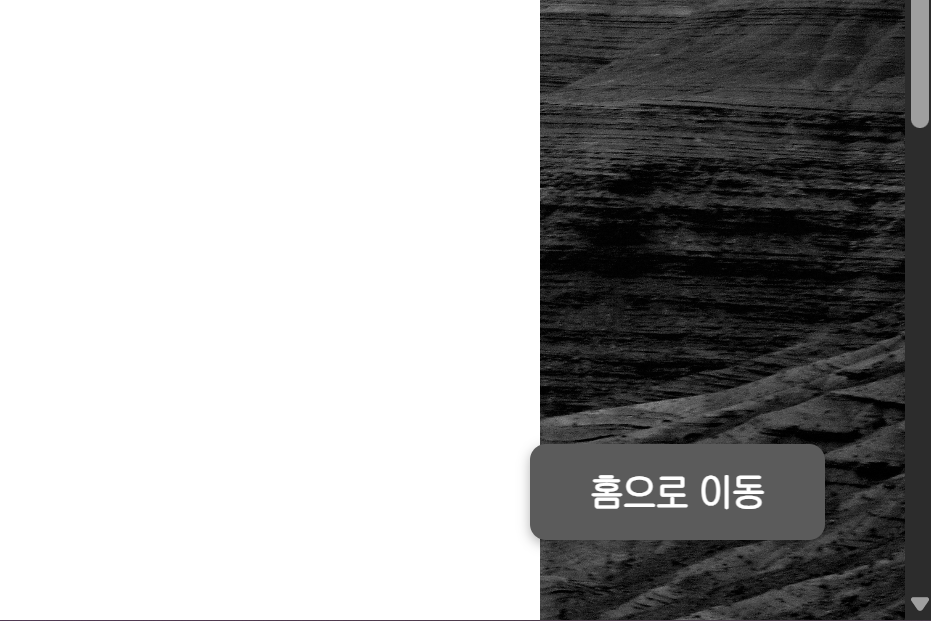
이력서부분의 페이지이며, 편의성을 위해 오늘 배운 fixed를 활용해 홈으로 바로 이동을 도와줍니다.
@font-face {
  font-family: "JoseonGulim";
  src: url("https://cdn.jsdelivr.net/gh/projectnoonnu/noonfonts_20-04@1.0/ChosunGu.woff")
    format("woff");
  font-weight: normal;
  font-display: swap;
}
* {
  box-sizing: border-box;
  font-family: JoseonGulim;
  margin: 0;
  padding: 0;
}

body {
  margin: 0;
  font-family: sans-serif;
  background-image: url("/imgs/canyon-9765223.jpg");
  background-size: cover;
  background-position: center;
  background-attachment: fixed;
  min-height: 100vh;
  color: white;
}

.container {
  display: flex;
}

header {
  background-color: rgba(0, 0, 0, 0.3);
  padding: 10px 20px;
  color: rgb(255, 255, 255);
  border-bottom: 1px solid rgba(255, 255, 255, 0.2);
  font-weight: bold;
  text-align: center;
}

header h1 {
  margin: 5px;
  font-size: 1.5em;
}

.sidebar {
  width: 200px;
  background-color: #1100003a;
  padding: 20px;
  height: 100vh;
}

.sidebar h3 {
  margin-top: 0;
  color: #ffffff;
  font-size: 1.3em;
  margin-bottom: 15px;
}

.sidebar ul {
  list-style-type: none;
  padding: 0;
}

.sidebar li a {
  display: block;
  padding: 6px;
  text-decoration: none;
  color: #dfdddd;
}

.sidebar li a:hover {
  background-color: #919191;
  border-radius: 10px;
}

.main-content {
  flex-grow: 1;
  padding: 20px;
  background-image: url(/imgs/canyon-9765223.jpg);
  background-size: cover;
  background-position: center;
  color: rgba(6, 0, 0, 0.592);
}

body {
  font-family: "Malgun Gothic", "맑은 고딕", sans-serif;
  margin: 0;
  background-color: #f0f2f5;
  color: #333;
}

.resume-container {
  width: 900px;
  margin: 40px auto;
  background-color: #ffffff;
  box-shadow: 0 4px 12px rgba(0, 0, 0, 0.05);
  border-radius: 8px;
  overflow: hidden;
}

.resume-container > header {
  padding: 30px 40px;
  background-color: #fdfdfd;
  border-bottom: 1px solid #e9e9e9;
  text-align: left;
}

.resume-container > header h1 {
  margin: 0;
  font-size: 1.8em;
  font-weight: 300;
}

.resume-container > header h1 strong {
  font-weight: 700;
  color: #005a5a;
}

.content-wrapper {
  display: flex;
}

.left-column {
  flex: 1;
  max-width: 33.33%;
  background-color: #f8fafa;
  padding: 30px;
  border-right: 1px solid #e9e9e9;
}

.profile-pic {
  width: 150px;
  height: 150px;
  border-radius: 50%;
  display: block;
  margin: 0 auto 20px;
  object-fit: cover;
  background-color: #e0e0e0;
  background-image: url(/imgs/cat-9813484.jpg);
}

.right-column {
  flex: 2;
  padding: 30px;
}

h2 {
  font-size: 1.3em;
  color: #007a7a;
  border-bottom: 2px solid #007a7a;
  padding-bottom: 5px;
  margin-top: 30px;
  margin-bottom: 20px;
}

.left-column section:first-of-type h2,
.right-column section:first-of-type h2 {
  margin-top: 0;
}

ul {
  list-style-type: none;
  padding-left: 0;
  margin: 0;
}

.personal-info li {
  margin-bottom: 10px;
  font-size: 0.95em;
  color: #555;
}

.personal-info strong {
  color: #333;
  margin-right: 8px;
}

.certifications li {
  font-size: 0.95em;
  margin-bottom: 10px;
}

.certifications strong {
  margin-right: 10px;
  font-weight: 600;
}

.skills li {
  margin-bottom: 15px;
  font-weight: 600;
}

.skills progress {
  width: 100%;
  height: 18px;
  margin-top: 5px;
  -webkit-appearance: none;
  appearance: none;
  border: none;
  border-radius: 5px;
  overflow: hidden;
}

.skills progress::-webkit-progress-bar {
  background-color: #e0e0e0;
}

.skills progress::-webkit-progress-value {
  background-color: #007a7a;
  border-radius: 5px 0 0 5px;
}

.skills progress::-moz-progress-bar {
  background-color: #007a7a;
  border-radius: 5px;
}

.right-column section {
  margin-bottom: 20px;
}

.right-column li {
  margin-bottom: 25px;
}

.right-column li strong {
  display: block;
  font-size: 0.9em;
  color: #666;
  font-weight: 500;
  margin-bottom: 2px;
}

.right-column li h3 {
  font-size: 1.15em;
  color: #222;
  margin: 0 0 5px 0;
}

.right-column li p {
  margin: 0;
  color: #555;
  font-style: italic;
  font-size: 0.95em;
}

/* .logo-container {
  display: flex;
  width: 100%;
} */

.logo-container {
  display: flex;
  align-items: center;
  justify-content: space-evenly;
}

footer {
  background-color: rgba(0, 0, 0, 0.7);

  color: white;
  text-align: center;
  padding: 20px 0;
  width: 100%;
}

footer p {
  margin: 5px 0;
  font-size: 14px;
}

hr {
  margin: 8px;
}

#main-menu li {
  margin-bottom: 5px;
}

#link-list li {
  margin-bottom: 1px;
}
마지막으로 CSS코드입니다. 중복되는 것도 많은거 같고 추가하다보니 코드가 계속 길어졌던거 같습니다.
다음엔 더 공부를 해서 깔끔하게 만들어보는 연습을 해야될 거 같아요!
'개념 정리 step1 > HTML | CSS' 카테고리의 다른 글
| HTML, CSS를 활용해 홈페이지 만들어보기(2) (1) | 2025.11.06 |
|---|---|
| HTML | 웹과 HTML 기본 개념 (0) | 2025.11.03 |